Wednesday, October 17, 2018

The Card Concept #100 - Elegant Fall

Hello everyone! It’s time for a new Challenge at The Card Concept! Today I have a guest at The Card Concept Blog and here on my blog to celebrate our 100th Challenge! My Guest is Marybeth Lopez from Marybeth’s Time for Paper.  She has a blog post for the challenge as well, so be sure to follow the link to see more details about her project.  I have admired her work since I started making cards just over 3 years ago.  Each of the Design Team Members has a guest for this challenge so there are double the stops along the hop!

You know that if the challenge has the word "Elegant" in it, that I am going to find a way to add some gold and probably some shimmer or shine as well.


Here is Marybeth's Gorgeous Card!  I was super happy when she said yes to being my guest.


For this card, I used the Gina K Designs Autumn Wreath Builder Stamps with primarily Papertrey Ink cubes.  For the heat embossing, I used Versamark with Simon Says Stamp Antique Gold Embossing Powder.  Initially, I stamped the tall leafy sprig in Kraft Ink, but once I was finished, I decided to do it again only with Antique Gold heat embossing.  I used Pure Poppy and Berry Sorbet for the red and orange leaves, and ripe avocado for the green leaves.

Then to tie all the elements together, I also heat embossed the word grateful across the banner (from Paper Clippings: Birthday) using the Papertrey Ink Never Enough Thanks Stamp Set.  I popped that up on two layers of foam tape.  Next, I decided to use the same ink colors on some watercolor paper to do a bit of ink blending.  I used the MFT Falling Leaves die to cut the larger leaves for a leaf bouquet.  Once I had the card assembled, I added a few embellishments with Nuvo Drops in Autumn Berry and Gold.

For my card, I used the Gina K Designs Wreath Builder in the rectangle orientation.  If you haven't seen how this is done, I have a step by step photo tutorial from a previous post here.

I just love all of the many options the wreath builder provides and I love using mine to its maximum potential.  I've done several posts lately for many different styles of cards including Christmas and Thanksgiving or fall themed cards.  Just scroll through recent posts and you will see many of them.  

This will actually be my last post as a Design Team member for The Card Concept.  I've enjoyed my time here very much, but I am spending much more time with my daughter and grandkids which was the purpose of us moving back to Texas, so I want to be able to do my cards without having to meet a deadline.  It is important to me that my word means something, so I decided to leave the Design Team rather than saying I could do it and not being able to meet a deadline.  I plan to continue playing along with the challenges as often as possible, I just won't be posting as a DT Member.

Tangii's Guest Designer - Amy Tsuruta
Vicki Finger (You are Here)
Vicki's Guest Designer - Marybeth Lopez
Michele's Guest Designer - Jeanne Jachna
Kim's Guest Designer - Danielle Vincent
Nancy's Guest Designer - Marcia Hill
Maureen's Guest Designer - Cheryl Scrivens
Susan's Guest Designer - Nanette Tracy
Angel's Guest Designer - Brianna Loeffelbein
Mackie's Guest Designer - Debbie Marcinkiewicz
Marcie's Guest Designer - Shona Chambers
Pam's Guest Designer - Brynn Thornburgh

I hope you all enjoy the many extra guests with their beautiful projects.  Thank you so much for stopping by to spend time with me today and don't forget to hop along.  

Sunday, October 14, 2018

Altenew Educator Beautiful Details

Hello there!  I am back today with a project that is part of my Altenew Educator Certification Program.  Today's project is for the Beautiful Details Class taught by Marika Rahtu.  This class is one I had taken before so I wanted to try a new to me technique that I hadn't previously tried, which was coloring with Copics on the back side of a heat embossed Vellum image.  Marika used a Dull Embossing powder but since I didn't have any I used Pearl White.  It can be a little hard to see, but if you put something behind it, it makes it a bit easier.

I used 44# vellum from Papertrey Ink to do my heat embossing of the bloom and leaves from Altenew's Beautiful Heart.  It's a very heavyweight vellum and doesn't warp much if at all.  Just keep the heat tool moving and it will work out alright.  I used Copics in a variety of shades of  Red Violet to create the colors.  Unfortunately, I put them all away before I wrote them down, so I can't say which specific colors I used, but the shades were in the deeper pinks.  Initially, I was planning to do just the pink, but once I had the flowers and leaves done, I felt that the color kind of the bloom disappeared once I put it on the white oval die cut.  So I decided that I would put a white die cut behind it.  When I was putting the dies back into their stamp pocket, I noticed that I had one previously partially colored but unfinished in Coral tones.  When I popped the vellum layer over that, it really brought out a lot of color in my petals and so I decided to use the partially colored bloom for the base underneath the vellum layer.  Now my color wasn't lost in the sea of white. I don't have very many colored pencils but I did add a few coloring lines to the leaves to bring out a little more of the veining in the leaves.


Because I used White Satin Pearl Embossing Powder, I thought it would look pretty to used White Shimmer Cardstock for my background and the oval die cut.

Next, I used some Heidi Swap Gold Lamé Shimmer Spray to create droplets on the card.  When I put the card together, I felt it needed a bit more dimension, so I used Gold Pico Embellisher to add drops over the gold splatter.  Now comes confession time -- I liked it better without the pico embellisher and just the gold splatter. But you never know until you try it!  Since I glued down the vellum to the oval panel, I can't remove it and do it over.  It doesn't have to be our vision of perfection but I am happy when my projects are.  Trust me, no one says "oh, I see you did that wrong" when they get a card in the mail.  They only think of your thoughtfulness at sending it.  So while it isn't "perfect" in my eyes, it's still beautiful.

The technique I was using was Copic coloring on the back side of Vellum and I am happy with the way that looks.  I'd like to try it again sometime adding colored pencil details along with the Copics.

This past couple of weeks has been absolutely crazy between doctors appointments, getting my Mammogram and Bone Density Scans done, and now I have several MRI's scheduled because I have MS.  They like to get a thorough look every year or two in order to see how I am getting along, but I am not looking forward to a few hours spent inside a very claustrophobic tube to have it done.  Plus I've had all of the grandkids at various times this week, so I have been busy! 

 Anyhow, I will try to link as many supplies as I can remember, but I made this card a few weeks ago for this class and I'm just now getting the blog post written.

Affiliate Links Used Whenever Possible

Altenew Beautiful Day
Shop at:
SSS | ALT
Altenew Beautiful Heart Stamp & Die Bundle
Shop at:
ALT
Kokuyo Long Dot Runner Adhesive
Shop at:
SSS
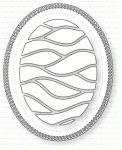
PTI Shape Shifters Oval #2
Shop at:
PTI
PTI Stamper's Select Vellum (#44)
Shop at:
PTI
PTI Stamper's Select White Cardstock
Shop at:
PTI
SSS Antique Gold Embossing Powder
Shop at:
SSS
Teflon Bone Folder
Teflon Bone Folder
Shop at:
SSS
Versamark Ink
Versamark Ink
Shop at:
SSS
Wagner Heat Tool
Wagner Heat Tool
Shop at:
SSS
WPLUS9 Gift Card Layers Designer Dies
Shop at:
SSS

Thursday, October 11, 2018

Gina K Designs Wreath Builder in Rectangle Orientation

Hello everyone!  I am here sharing a post using the Gina K Designs Wreath Builder Templates with a variety of Gina K Designs Stamps in a slightly different way than the traditional 4 x 4 square orientation.  Not long ago, I got the new Stamp TV Kit, "Fruits of the Season" and at the same time, I was able to get the Autumn and Holiday Wreath Builder Stamp Sets.  I've been having so much fun playing and I posted 7 different cards in the Gina K Designs and Stamp TV Facebook Group.  I got a ton of questions about how I did this rectangular card, so I have a full photo tutorial about how I did it.  Fair Warning: This is going to be a photo heavy post.  This particular technique I learned from Gina's Stamp TV YouTube Video that she had done when the Autumn Wreath Builder came out so using that as my guide, I made a few modifications to be able to use a few larger images to build my wreath so that my front panel is a full rectangle rather than the square format of the templates.  You will use the templates for the top and bottom corners but use the MISTI in the normal way to do the center parts.  You still use the Wreath Build Templates to do it, so no worries!  I took photos all along the way to show you how I do it.


The first thing I did was to pull the holly leaves from last year's Merry & Bright Stamp Set.  The kit is no longer available, but the stamps and dies are.  I'll have them linked below for your convenience.  Because this particular stamp is the size I want, I carefully cut between the leaves and the berries so I would be able to stamp in a different color, just be careful not to damage either piece of the Photopolymer.  

Start by cutting your cardstock to 4 x 5.25 inches so that it will still work with the 4-inch template.  If you haven't gotten the templates you can find them here.  They are pure genius, and you can use them with any stamps you have!  I only discovered Gina K about one year ago, but I am slowly accumulating several of her sets.  Also, with one exception, all the inks I am using today are Gina K Inks and the colors will be listed as I go along and included in the supply list below.  

To start, put your cardstock in the top vertical square orientation.  I like to use the heavy base weight card stock for this.  The end will hang out of the MISTI, but that's no big deal,   If you want to make sure the wreath goes all the way around, it's important to start in the square orientation rather than the diamond orientation. Because the Holly stamp is quite a bit larger than most of the wreath builder images, I do it first and then make the other things fit in with it.  

Place your stamp in the top left corner and stamp it.  I used Fresh Asparagus Ink and I like to double stamp it since it's in the Misti.  Before moving your cardstock, take a little finger dauber and put some darker green at the base of the leaves and soften it going about 2/3rds of the way up the Holly leaves.  I used another Pine colored Ink because I don't have the Gina K Designs Christmas Pine Ink yet.  I also feel like the Dark Sage Ink would work really well, but I don't have that one yet either.  I buy Ink Cubes almost exclusively because I can afford them faster and with large pads, I just seem to drop them on my cardstock about every time.  Since I have MS, my balance and coordination aren't the best.  Once I get all the ink cubes I want, then I buy re-inkers a few at a time.  Gina K Inks are very saturated and stamp incredibly well.  

Before you move on, CLEAN your stamp!  Because I'm using two colors of ink, I don't want any leftover of the 2nd color to get on the lighter ink pad.  So, stamp twice (if that's your preference), sponge on a bit of the darker green then clean your stamp before moving onto the second corner.  Rotate your paper 90 degrees to the left and stamp again repeating adding the darker color at the base of the leaves and moving up.  Once you have those two finished, rotate your paper 180 degrees to get the other two corners.    

Once you do that, you should have a holly in each of the four corners of the cardstock like this image on the right.  

For our next step, leaving the template in place (I use Temporary Adhesive on the corners of mine to keep it in place).  Put your cardstock into the corner like this.  Not in the corner of the template, but in the corner of the MISTI.  Now I should probably mention that I use my MISTI like a left-handed person even though I am not a lefty.  This is because Yana Smakula is the first person I saw using a MISTI and she is a lefty so that's how I use mine.  It was about a year before someone asked if I was a lefty and I realized I was using my MISTI like I was one.  Ü *Wink*

I might also mention here, that I use little silicone rubber feet on the door of my Misti so that when I set the door down, there is still a way for me to pick it up without having masking tape all over it for little handles.  I have a lot of glass surfaces in my house, so I always have different thicknesses of these little feet around.  You can find them on Amazon or sometimes at hardware stores but Amazon is cheaper and easier.  You put them on the outside of the door so that when it's open it has a little space for you to get your fingers under there and grab ahold of the door.  The ones I use are about ¼ inch thick.  I included a picture of one of them close up.  They're clear silicone and they have been a life-saver (or sanity saver as the case may be).

Anyhow, moving on to the next step, place your cardstock all the way to the corner of the Misti (not the template this time) and line up the Holly leaves at the approximate center point of the horizontal orientation.  It doesn't have to be perfect, but in order to leave a good-sized opening for the sentiment, the larger leaf should be placed as close to the edge as possible.  Stamp that the same way in two or three total layers (remember the darker green at the base of the leaves).  Rotate your cardstock panel 180 degrees and stamp again.  You should have something that looks like this.


Next, you want to add the berries.  Since I already have one with Gina K Designs Cherry Red berries, I am going to do something fun and use Plum Punch for my berries today.  The corners are easy to repeat, but you'll have to adjust for the berries on those horizontal holly leaves so stamp the corners first, remembering to start in the vertical square orientation. 

I like to use the three berries from the Holiday Wreath Builder as they are slightly bigger than the ones from the Holly leaves in Merry & Bright Stamp Set.  Once you do the corners, clean your stamp really well and reposition it for the top horizontal berries.  If you don't clean your stamp first, you might get some transfer onto your cardstock before you have it aligned properly (says the voice of experience).  Then stamp again, rotate your cardstock 180 degrees and stamp one more time.  Now your card should look something like this.

Choose your next stamp to fill in and do the exact same rotations as we did for the Holly Leaves; the four corners and then realigning in the MISTI in the horizontal orientation, then rotate 180 degrees for the flip side of that.  I used the small pine branch from the Holiday Wreath Builder.  This gets a little bit trickier so take your time and look before you ink up your stamp to make sure it is aligning how you want it to.  The get all the pine branches I wanted, and to be able to use the little poinsettia flower how I wanted, I like the top and bottom Vertical Center areas blank.

I used the larger poinsettia flower for the top and bottom and then I used the smaller flower for the center sides as you can see in this photo.  I stamped the blooms first in Passionate Pink and then using a finger dauber, sponged a bit of the Plum Punch on each one for a blend of color.  I kind of messed up the one on the right side but since I was planning to die cut the panel I decided to wait and see if it showed once the panel was cut.  Thankfully it did not show or I would have felt the need to start over.

Now we are ready to stamp our sentiment.  I used a greeting from the Gina K Designs Holly Jolly stamp set which is tall and thin so it fits perfectly with the wreath builder stamped in this way.  I heat set the panel just to make sure the inks were all nice and dry and then I used my powder tool to prep the surface of my cardstock.  Then I stamped using Versamark and Gina K Designs Fine Detail Gold Embossing Powder.  After heat setting that, I die cut the wreath panel to fit with two mats -- one cut from Gina K Designs Gold Metallic Cardstock and one from Plum Punch Cardstock.


Before adhering to a top folding vertical card base, I added Magenta Stickles to the berries and to the flower centers and set it on my window sill to let it dry overnight.


Depending on the weather outdoors and my flash, the color of the flowers is brighter.  The card above is the view that I feel is the most accurate representation of the actual colors.


A lot of what I did here was just a process of trial and error to find what worked and what didn't so get some scratch paper and practice a few times until you figure out what works for you.

Affiliate Links Used Whenever Possible

Cuttlebug Die Cutting Machine
Shop at:
SSS
GKD Fine Detail Gold Embossing Powder
Shop at:
GKD
GKD Fresh Asparagus Ink
Shop at:
SSS | GKD
GKD Gold Metallic Cardstock
Shop at:
GKD
GKD Heavy Base Weight White Cardstock
Shop at:
GKD
GKD Holiday Wreath Builder
Shop at:
GKD
GKD Holly Jolly Stamp Set
Shop at:
GKD
GKD Merry & Bright Stamp Set
Shop at:
GKD
GKD Passionate Pink Ink
Shop at:
SSS | GKD
GKD Plum Punch Cardstock
Shop at:
GKD
GKD Plum Punch Ink
GKD Plum Punch Ink
Shop at:
SSS | GKD
GKD Wreath Builder Templates
Shop at:
GKD
Kokuyo Long Dot Runner Adhesive
Shop at:
SSS

Wednesday, October 3, 2018

The Card Concept "Sunflower Serenade"

Hello everyone!  It's time for our new challenge, "Sunflower Serenade" over at The Card Concept Challenge!  Being a Kansas girl myself, I am quite familiar with this sight as it is the State Flower and Kansas is known as" The Sunflower State".  However, in recent years there have been some new varieties and there are several colors available now, including Pink which is the Strawberry Blonde Sunflower.  I thought these bright happy colors would make a nice get well card.

I make cards for a friend who lives in Kansas and who unfortunately knows several people who are battling cancer so I know she would really enjoy a bright happy card to send to one of those people.  Because I love pink Sunflowers so much, I also decided to make a second card using Pink Sunflowers.

"Native Americans were using native sunflowers for food over 3,000 years ago. These wild sunflower seeds were only about 5 mm. long. Over hundreds of years and careful husbandry (selecting only the largest seeds for cultivation), the Plains tribes began the development of today's large modern sunflower, rich with oil.

Sunflower heads consist of 1,000 to 2,000 individual flowers joined together by a receptacle base. The large petals around the edge of a head are actually individual ray flowers, which do not develop into seed.

There are more than 60 species of sunflowers. The native sunflower grows to 15 feet tall with flower heads up to 2 feet in diameter and can produce over 1,000 seeds from one plant. The flower head turns and faces the sun throughout the day - tracking the sun's movement. Sunflower seeds are rich in protein and yield a high-quality vegetable oil".  Source: here.


I don't have a specific stamp set for Sunflowers, but the 2016 Papertrey Ink Anniversary Set has this flower that is similar enough that I use it as such.  It's called Painted Petals and unfortunately is no longer available so I'm thinking I might have to look for a set that has sunflowers.  The "Strawberry Blonde" sunflower has yellow tips on the petals with kind of pink or coral inner petal color.  It probably depends on soil conditions like other flowers do such as Hydrangeas.


I also happen to really love the leaves from the "Gran's Garden" Set by Papertrey so I took a lot of liberties to use them instead of the ones that actually go with the Painted Petals Anniversary Set.


That is it from me today!  Be sure to hop along with all the Design Team Members to see their projects today.   Here's the hop list!  

Vicki Finger (You are here)